Capture the brief
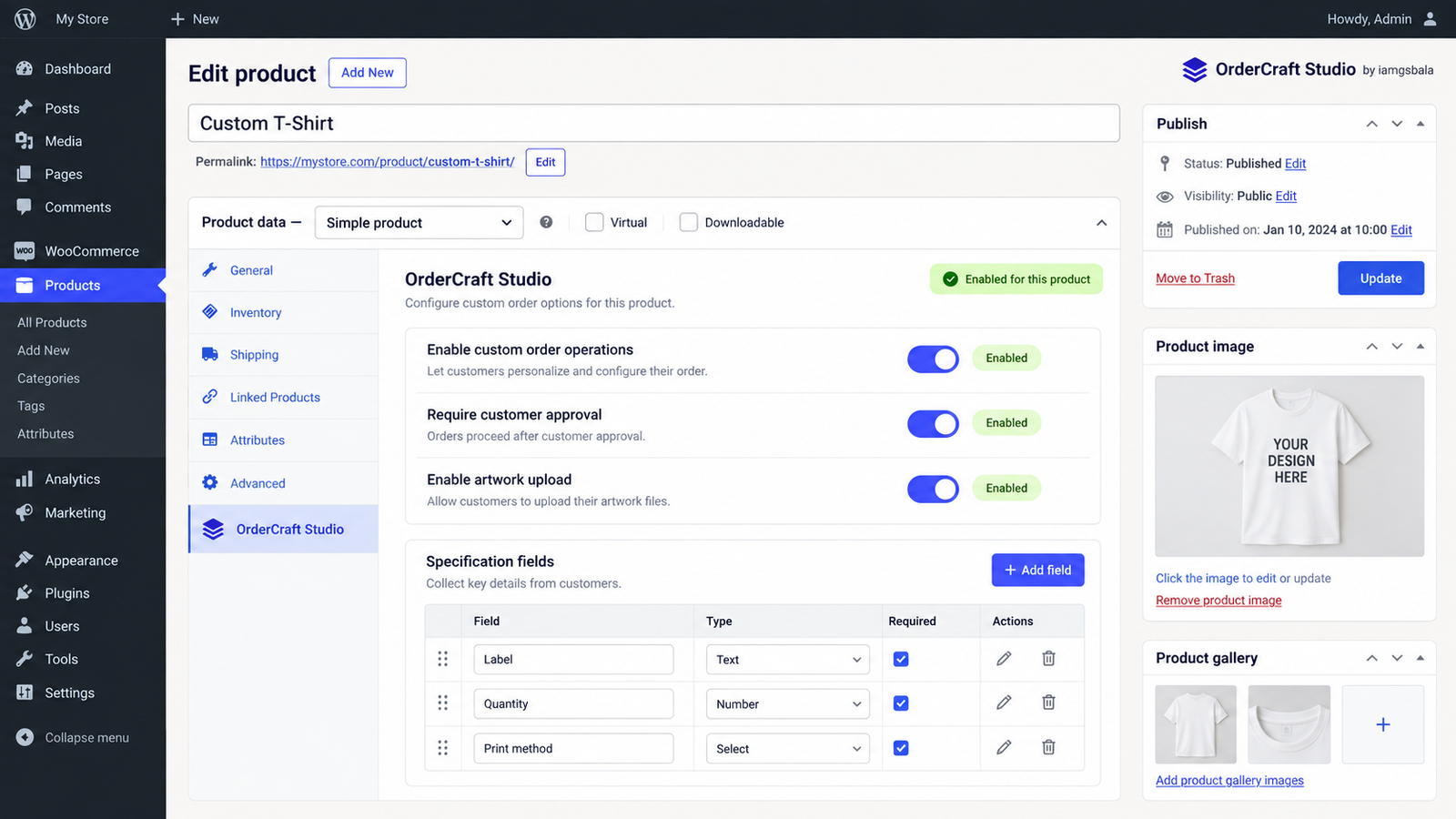
Add structured product specification fields and preserve submitted values as a snapshot on the Job.
Per-order-item job recordsFree WooCommerce plugin · by iamgsbala
Custom Order Workflow for WooCommerce keeps specifications, artwork, proofs, approvals and production hand-off connected to the order your team is already managing.
Built for print, apparel, signage, packaging and personalized products.
One connected workflow
01 / See the hand-off
The workflow is designed to make the next action visible: review the artwork, send a proof, record the customer decision and hand the approved job to production.
Open the step-by-step guide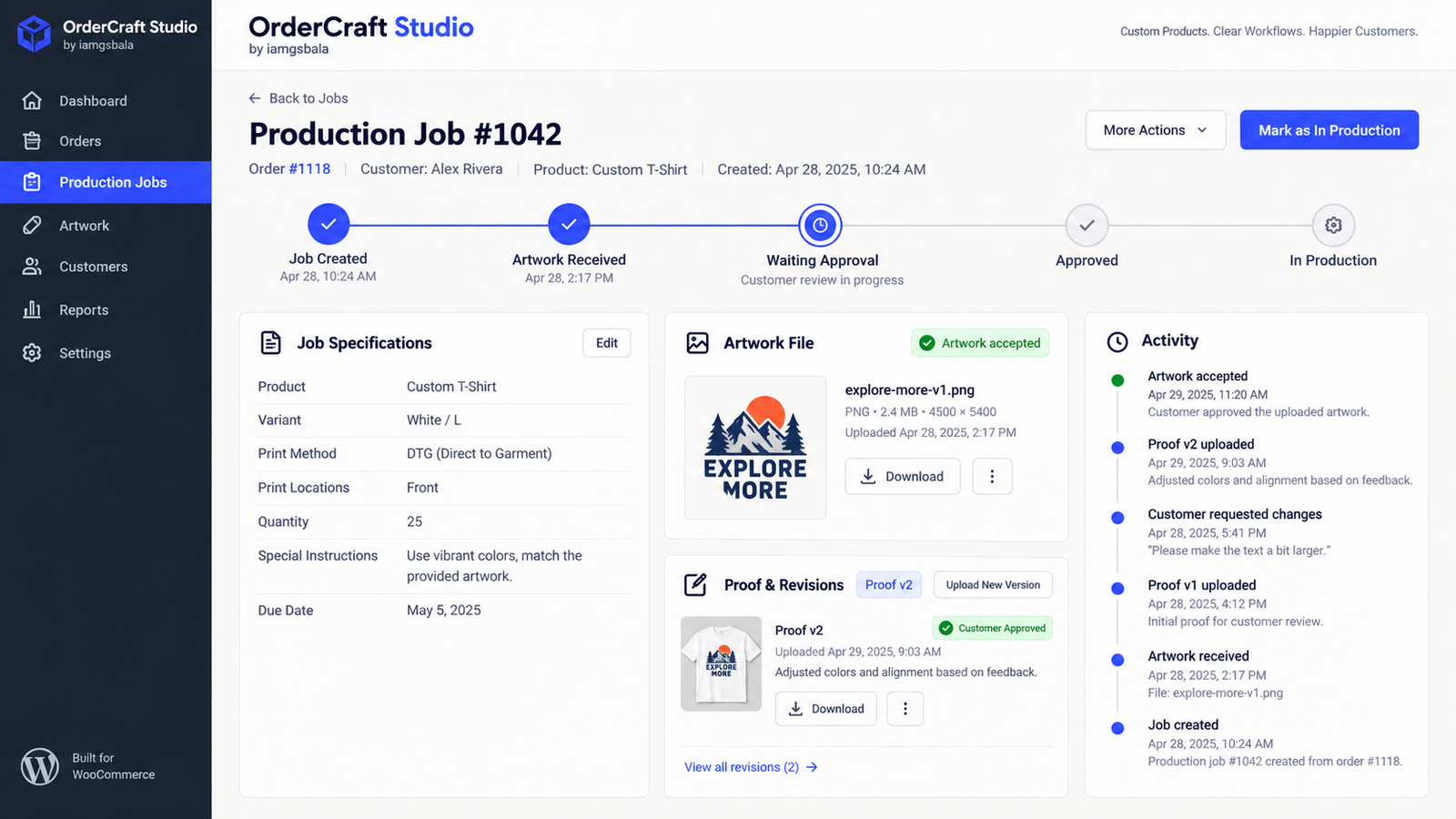
01 / Architecture for clear hand-offs
Stop splitting the customer brief, uploaded files, approval messages and production notes across email, cloud storage and spreadsheets. Keep the operational record with the WooCommerce order.
Add structured product specification fields and preserve submitted values as a snapshot on the Job.
Per-order-item job recordsReceive artwork and proof files through protected storage with authenticated preview or download links.
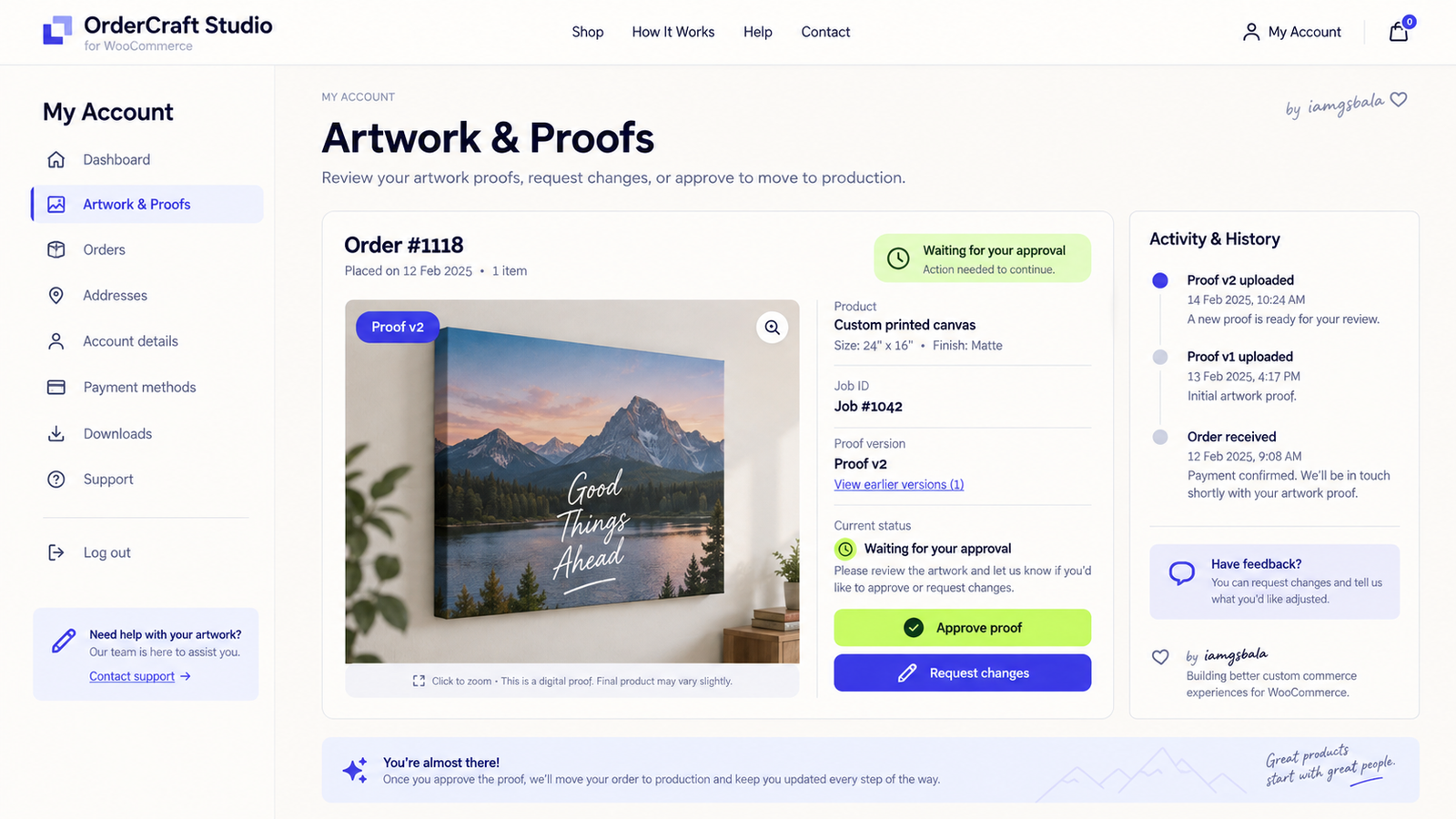
Artwork revisions stay traceableGive customers a dedicated My Account review area to approve proofs or request changes with context.
Customer approval historyGive staff validated Job transitions, activity history, notes and matching WooCommerce order statuses.
Production-ready hand-off02 / See the workflow in context
These screens show the free workflow from product configuration through Job review and customer approval.
03 / The customer journey
Customers see what the team is reviewing, which proof is current and what action is needed. They can return to the same Artwork & Proofs area as the order progresses.
See the full workflow guide ↗04 / Free today, Pro next
The free release is useful on its own. Pro is planned for teams that need deeper automation, reporting and integrations.
Everything needed to collect, review and approve custom order information before production.
Pro will extend the foundation for teams that manage higher volume, multiple operators and more complex hand-offs.
05 / Documentation & community
Follow the setup guide, understand the customer approval process and learn how Job statuses map to WooCommerce order statuses.